 Doca
Widget · Time
Pomodoro timer for Windows
The Pomodoro technique is simple: focus blocks (usually 25 minutes) with short breaks, and a long break every four. The hard part is seeing the time without opening an app in the middle of work.
Quick answer
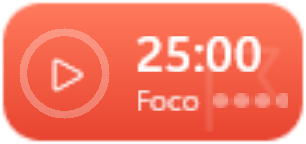
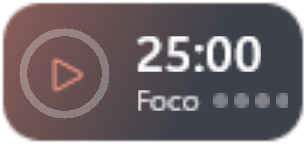
On Windows 11 you can use focus sessions, which turn on Do not disturb. To keep a Pomodoro always visible, put Doca's Pomodoro widget on the dock: 25 minutes of focus, a 5-minute short break and a 15-minute long break every 4 focus blocks, all adjustable. It counts today's focus blocks, and the Island, at the top of the screen, shows the phase and time left.
What Windows already has
- Focus sessions (Windows 11): a focus timer that turns on Do not disturb while it runs.
- Alarms and timers in the Clock app, if you just want to count time.
Neither stays in sight all the time: you open it, start it, and the timer disappears behind your windows.
Doca's Pomodoro
- On the dock, always visible, in the Glass or Vivid colors style.
- Your own lengths: 25-minute focus, 5-minute short break and 15-minute long break every 4 focus blocks, by default. You can change each one and choose whether the next phase starts on its own.
- Start, pause, skip and reset right in the widget.
- Today's count: how many focus blocks you finished today.
- On the Island: while the timer runs, the pill at the top of the screen shows the phase and time left, from any environment.
Just want a quick timer?
On Doca's top bar, a button next to the clock starts a 5, 15 or 25 minute timer that runs on the Island and lets you know when it ends, no dock widget needed. For any length, there's also the Focus timer widget.
For study or work
Put the Pomodoro in your study or work environment, not your leisure one. See Windows for students and how to separate work and leisure.
Frequently asked questions
Does Windows have a Pomodoro timer?
Not by that name. Windows 11 has focus sessions, a timer that turns on Do not disturb. A Pomodoro with short and long breaks and a daily count needs an app, like Doca's widget.
Can I change the 25 minutes?
Yes. Focus, short break, long break and how many focus blocks before the long break are all adjustable in the widget.
Does the Pomodoro work offline?
Yes. It doesn't use the internet.
How much is it?
7 days free with everything unlocked. After that, US$ 9 once, no subscription.