 Doca
Who it's for · Studying
Windows for students
One PC for class, the group project and tonight's game. The problem isn't the computer, it's everything being in the same place. Separating study from the rest, and keeping time in sight, helps more than any productivity app.
Quick answer
Set up a Study environment in Doca with your school apps pinned, and keep on the dock the Pomodoro (25 minutes of focus and breaks, adjustable), a countdown to the exam, the Calendar and the Translator. When it's time to relax, switch environments: games and study windows don't mix.

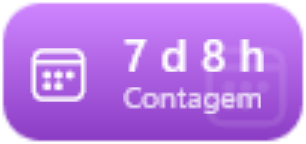


Real Doca widgets, in the Vivid colors style.
What Windows already has
- Focus sessions on Windows 11, with Do not disturb on while the timer runs.
- Virtual desktops (Win + Ctrl + D), one per subject or one for leisure.
What's missing: seeing the time and deadlines without opening anything, and not having the game shortcut blinking on the taskbar during class.
A study environment, with Doca
- Pomodoro: focus plus short and long breaks, at the lengths you pick; the widget counts how many focus blocks you finished today, and the Island, at the top of the screen, shows the phase and time left. See Pomodoro on Windows.
- Countdown: the days (and hours) to the exam, the thesis deadline or the holidays.
- Calendar and Reminders: your next appointment, from Google, Outlook, iCloud or Windows, and quick tasks you tick off right there.
- Translator: type or paste text and see it in another language, without opening the browser. It's free with no account (it uses MyMemory, which translates about 5,000 characters a day).
- Screen time: how long you were on the PC today and in which apps, counted on the PC itself.
- Hydration: tick off each glass of water.
And leisure in another environment
Create a Leisure environment with Steam, Discord and music. Each environment has its own apps and widgets, and Doca can hide the other one's windows (put away, not closed). See how to separate work and leisure on Windows.
Frequently asked questions
Is there a student discount?
No. The price is the same for everyone: US$ 9 once, after 7 free days with everything unlocked.
Do the widgets work offline?
Pomodoro, countdown, reminders and screen time work offline. The translator and online calendars need the internet.
Does Doca run on a basic laptop?
It uses around 40 MB of memory and sits nearly idle when you're not using it. It needs Windows 10 2004 or newer, or Windows 11.
How much is it?
7 days free with everything unlocked. After that, US$ 9 once, no subscription.