 Doca
Guide · Windows 10 and 11
Widgets on the Windows taskbar
The Windows widgets panel opens over everything and disappears when you click away. If you want the weather, another time zone or your Pomodoro always in sight, they need to live on the bar.
Quick answer
The Windows taskbar doesn't take widgets of its own. Doca is a dock that puts widgets inside the bar: 40+, always visible, and different in each environment. A click opens each one's panel with more detail.



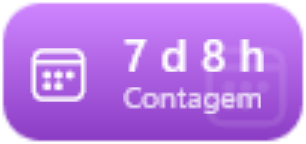
Real Doca widgets, in the Vivid colors style.
The most used widgets
- Time: clock, world clock, analog, Pomodoro, focus timer, stopwatch, countdown and day progress.
- Weather: now, the forecast and conditions for your city.
- System: CPU and memory, network, disk space and battery.
- Finance: currency and bitcoin quotes, with the month's chart.
- Tools: Translator, notes, clipboard, color picker and more.
- Games and work: Steam, Valorant, OBS, Docker and Claude Code usage.
Two styles: Glass and Vivid colors
In Glass, each widget is smoked glass with a touch of its color. In Vivid colors, each widget gets its own color, with a big drawing. You choose in Settings › Appearance, and it applies to all.
Missing one? You can build your own: a script that prints JSON becomes a widget on the dock.
Frequently asked questions
Does Windows 11 have widgets on the taskbar?
It has the widgets panel, which opens over your windows. For widgets that are always visible on the bar, you need a dock like Doca.
Do Doca's widgets need the internet?
Only those that bring outside data, like weather and quotes. Clock, Pomodoro, CPU and the others work offline.
Can I have different widgets for work and leisure?
Yes. Each Doca environment has its own apps and widgets.
How much is it?
7 days free with everything unlocked. After that, US$ 9 once, no subscription.