 Doca
Who it's for · Development
Windows for developers
Editor, terminal, browser, database, Docker, the AI on the side. Windows handles it, but the taskbar turns into a row of identical icons. This guide covers what Windows already has and what a dock adds for people who code.
Quick answer
Create a coding environment in Doca with your editor, terminal and browser pinned, and put the widgets a developer checks all day on the dock: Docker (containers with start and stop), Claude (the 5-hour window, the week and Claude Code token usage), Activity (CPU and memory) and Shortcut, which runs a command or script in one click. Missing one? A script that prints JSON becomes a widget.
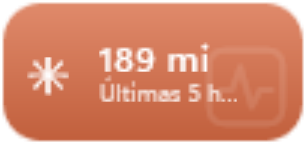
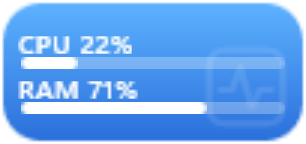
Real Doca widgets, in the Vivid colors style.
What Windows already handles
- Virtual desktops (Win + Ctrl + D): one for the project, another for everything else.
- Clipboard history: Win + V, after turning it on in Settings › System › Clipboard.
- Moving windows between monitors: Win + Shift + left or right arrow.
What Doca adds
- An environment just for code, with its own pinned apps, widgets and only the windows opened there. When it's time to stop, another spin of the mouse wheel turns the dock into your leisure one. See how to separate work and leisure.
- Docker: your containers by project, with start and stop, without opening Docker Desktop.
- Claude Code: the 5-hour and weekly limits and the tokens spent, read on your own PC, no login. See the Claude Code usage widget.
- Shortcut: a dock button for a command, a script or a link. And Run as administrator on the right-click of any app on the dock.
- Activity and Network: CPU and memory during a build, and your internet speed. See CPU usage on the bar.
- Small tools: Color picker (a pixel's color goes to the clipboard), Unit converter (km to GiB) and your Ctrl+C history always in sight.
- Doca search finds apps, files and math, with prefixes:
?files only,.apps only,=math and conversions only.
The widget you write yourself
If what you want to see doesn't exist (a deploy status, a service queue, the price of something), write a script in any language that prints JSON. Doca runs it and shows the result as a widget on the dock. The walkthrough is in build a widget.
Frequently asked questions
Does Doca run Docker?
No. It shows the containers of the Docker already on your PC, by project, with start and stop buttons.
Do I need an account for the Claude Code widget?
No. Tokens come from the logs Claude Code itself writes on your PC, and the limits from its status line, which the widget's Set up button turns on.
Can I build a widget with Python or PowerShell?
Yes. Any script that prints JSON becomes a widget. The guide is at /en/widgets.
Is Doca heavy during a build?
It uses around 40 MB of memory and sits nearly idle when you're not using it.
How much is it?
7 days free with everything unlocked. After that, US$ 9 once, no subscription.