 Doca
Widget · System
CPU usage on the Windows taskbar
Your PC got slow and you want to know whether it's the processor, the memory or the internet. Windows shows all of it, as long as you open a window to look.
Quick answer
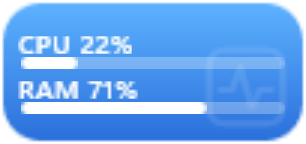
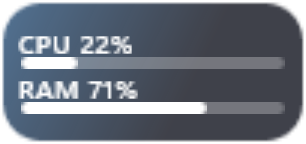
In Windows, Task Manager (Ctrl + Shift + Esc) shows CPU and memory on the Performance tab, and the Xbox Game Bar (Win + G) has a performance panel you can pin on screen. To see CPU and memory always visible on the bar, put Doca's Activity widget on the dock, as bars, numbers or rings.
What Windows already has
- Task Manager (Ctrl + Shift + Esc), Performance tab: CPU, memory, disk, network and GPU, with charts.
- Xbox Game Bar (Win + G): the Performance panel can stay pinned over your windows.
Both work well, but one is another open window and the other is built for gaming.
Doca's system widgets
- Activity: how hard the PC is working right now, CPU and memory, as bars, numbers or rings. One click opens a window with the last minute of processor use.
- Network: your internet speed right now, numbers only or with a chart.
- Disk space: how much is left; it turns red when it's running out.
- Battery: your laptop's and Bluetooth accessories' charge.
- Screen time: how long you were on the PC today and in which apps, counted on the PC itself.
All of them work offline (except the one that measures the internet, of course). See also Windows for developers and for gamers.
Frequently asked questions
How do I see CPU usage on Windows 11?
Open Task Manager (Ctrl + Shift + Esc) and go to the Performance tab. To see it without opening anything, use an always-visible widget, like Doca's Activity.
Does the widget show CPU temperature?
No. It shows CPU and memory usage.
Does monitoring the CPU slow the PC down?
Doca reads the numbers from Windows itself, once per second. The whole app uses around 40 MB of memory.
How much is it?
7 days free with everything unlocked. After that, US$ 9 once, no subscription.