 Doca
Widget · AI
Claude Code usage on the Windows taskbar
If you code with Claude Code on a subscription plan, you know the question: how much is left in the 5-hour window? And this week? The answer can live on the bar, without opening the terminal.
Quick answer
Doca has three widgets for Claude Code: Claude · 5-hour window (usage and when it resets), Claude · Week (weekly usage and the day it resets) and Claude · Usage (tokens spent over 5 hours, today or 7 days, with an optional budget). Everything is read on your PC, with no account and no API key.
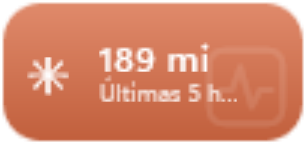
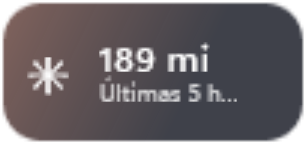
The three widgets
- Claude · 5-hour window: how much of your plan's 5-hour window is used, as a ring or bar, and when it resets.
- Claude · Week: weekly usage and the day it resets.
- Claude · Usage: how many tokens Claude Code spent (input, output and cache) over the last 5 hours, today or 7 days, with an optional budget to see what's left.
Where the numbers come from
- Tokens come from the logs Claude Code itself writes on your PC for each conversation. Doca reads those files; nothing leaves your computer.
- Plan limits (5 hours and weekly) are only sent by Claude Code to its status line. The widget's Set up button turns on writing those numbers to a file, which Doca reads. Until they arrive, the widget shows "Waiting".
Next to the rest of your code
Put the Claude widgets in your work environment, next to Docker and Activity. See Windows for developers and, if a number is missing, build your own widget.
Claude and Claude Code are trademarks of Anthropic. Doca isn't made by or affiliated with Anthropic.
Frequently asked questions
Do I need an Anthropic API key?
No. Doca doesn't talk to Anthropic: it reads the files Claude Code already writes on your PC.
Does it work with the Claude desktop app?
Partly. Claude · Usage works with Claude Code in the terminal and in the app. The 5-hour and weekly limits arrive when you use Claude Code in the terminal (the claude command), on Pro and Max plans; the desktop app doesn't send those numbers yet.
Why does the widget say "Waiting"?
Limits only arrive after Claude Code runs in the terminal with the status line set up (via the Set up button). Use Claude Code once in the terminal and the numbers show up.
How much is it?
7 days free with everything unlocked. After that, US$ 9 once, no subscription.