 Doca
Windows 11 · Taskbar
The taskbar disappeared in Windows 11
All of a sudden there's no taskbar on screen, but Alt+Tab still works. It's almost always the process that draws the bar, not all of Windows.
Quick answer
Open Task Manager (Ctrl+Shift+Esc), find Windows Explorer under the Processes tab, right-click it and choose Restart. The taskbar comes back in seconds. If it's not even in the list, go to File › Run new task and type explorer.exe.
The most common cause: Explorer crashed
The taskbar, the Start menu and the desktop icons are all drawn by the same process, Windows Explorer. When it hangs or closes by accident, the taskbar disappears, but the rest of Windows (your open windows, Alt+Tab) keeps working.
- Press Ctrl+Shift+Esc to open Task Manager (it works even without a taskbar).
- Under the Processes tab, find Windows Explorer.
- Right-click it and choose Restart.
If Windows Explorer isn't even in the list
Go to File › Run new task, type explorer.exe and confirm. That starts the process fresh, without closing your other programs.
Other causes
- A full-screen app (a game, a presentation, a video) covers the taskbar by default. Alt+Tab or the Windows key exits full screen.
- A second monitor: if the taskbar only vanished on one screen, check showing the taskbar on every monitor.
- After a Windows update: a well-known command reinstalls the system apps without deleting anything. In PowerShell (as administrator):
Get-AppxPackage -AllUsers | Foreach {Add-AppxPackage -DisableDevelopmentMode -Register "$($_.InstallLocation)\AppXManifest.xml"}.
If none of that works
Check for a pending Windows update, run sfc /scannow in an administrator Command Prompt, and as a last resort restart the PC.
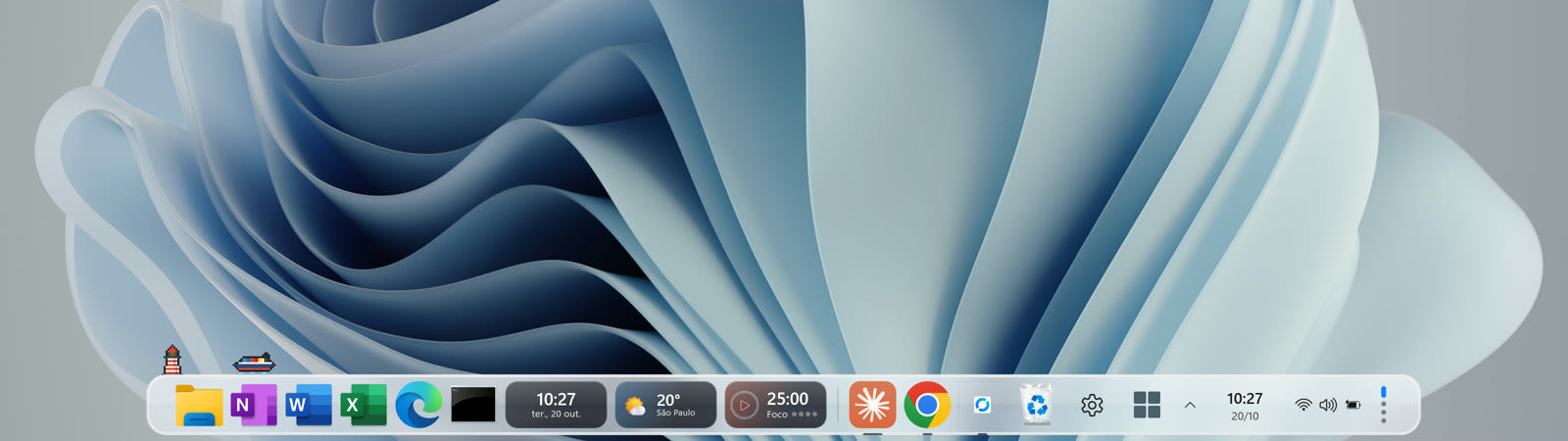
If only the Windows taskbar vanished and Doca's dock is still there, that tells you the problem is Explorer's, not the whole PC's: Doca is a separate process from it.
Frequently asked questions
Why did my taskbar disappear out of nowhere?
It's almost always Windows Explorer hanging or closing by accident. Restarting the process (Ctrl+Shift+Esc › Processes › Windows Explorer › Restart) fixes it most of the time.
How do I restart the taskbar without restarting the PC?
Ctrl+Shift+Esc to open Task Manager, find Windows Explorer under Processes, and choose Restart.
The taskbar only disappeared on my second monitor, now what?
Check Settings › Personalization › Taskbar for "Show my taskbar on all displays".
How much is Doca?
7 days free with everything unlocked. After that, US$ 9 once, no subscription.