 Doca
Short guide · Windows 10 and 11
Free Mac-style dock for Windows
We make Doca, which is paid. Even so, the honest answer for anyone looking for a free dock is: there are options, and they're on this page, with what each one does and where it stumbles.
Quick answer
Of the docks we checked that are still maintained, Winstep Nexus (free for personal use; the Ultimate version is paid) and Seelen UI (free and open source, a whole desktop with a dock) are free. Doca is paid (US$ 9 once), but you can use it 7 days free with everything unlocked and no card and decide later.
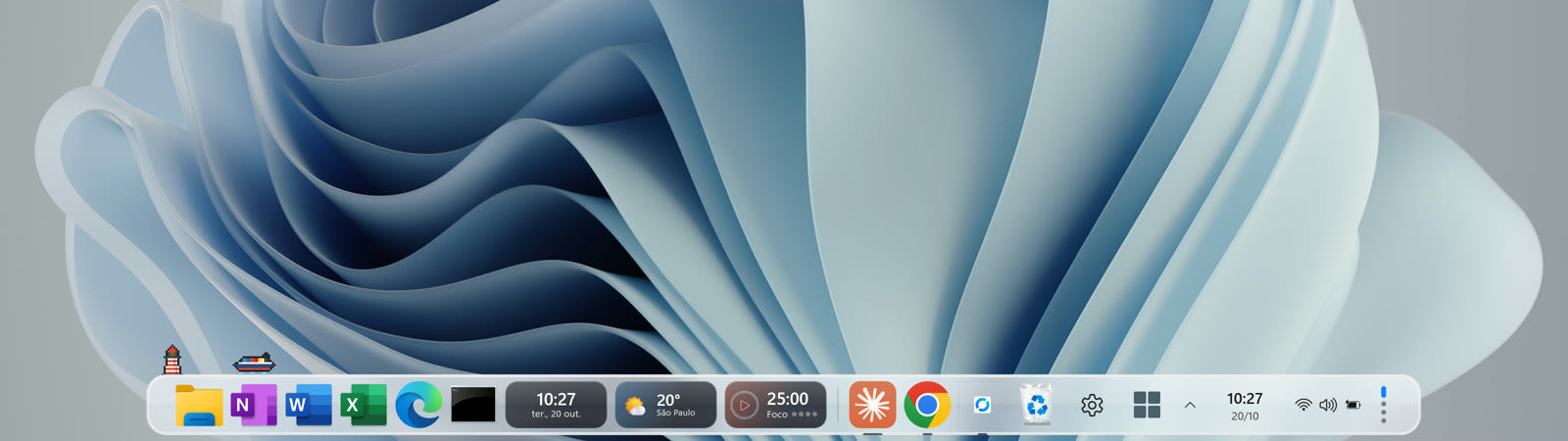
The free ones, side by side with Doca
| Doca | Winstep Nexus | Seelen UI | |
|---|---|---|---|
| Price | US$ 9 one-time (7-day free trial, no card) | Free for personal use; Nexus Ultimate from US$ 29.95 | Free and open source |
| Windows 11 | Yes | Yes | Yes |
| Windows 10 | Yes (2004 or newer) | Yes | Yes |
| Latest version | 1.0.26 (Nov 3, 2026) | 26.9 (Sep 21, 2026) | 2.8.10 (Oct 22, 2026) |
| Magnification (Mac-style) | Yes | Yes | Not confirmed |
| Widgets on the bar | Yes, 40+ | Modules (clock, weather, CPU…) | Yes |
| Multiple docks or profiles | Yes (environments) | Multiple docks in Ultimate only | Workspaces |
| Open source | No | No | Yes (AGPL-3.0) |
The facts come from the sources listed in each comparison: Doca vs Winstep Nexus and Doca vs Seelen UI.
Winstep Nexus: the free veteran
It's the most complete free dock we found: it has an icon zoom effect, shows running apps and the tray, handles multiple monitors and works on Windows 10 and 11. The free version is for personal use only; multiple docks and sub-docks are in Ultimate, which is paid. See how it compares with Doca.
Seelen UI: free, open source and much more than a dock
Seelen UI replaces a good part of the desktop: dock, bar, tiling window manager. It's free and open source. If you only want a dock, it may be more than you need. See how it compares with Doca.
What about RocketDock and ObjectDock?
They're the best-remembered names, but we couldn't confirm from official sources that they're still maintained for Windows 11 (RocketDock's site says "Windows 2000 or later"). That's why they're not in our tables. If you install an old dock, download it only from the official site.
Where Doca fits in
Doca is paid, and we won't pretend otherwise. What it has that the free ones on this page don't bring together in one app:
- Environments: one dock for each moment (Work, Study, Leisure), each with its own apps, widgets, color and windows.
- 40+ widgets inside the dock, like Pomodoro, world clock and CPU usage.
- The Mac magnifier, with adjustable strength and width.
- It can replace the taskbar and restores everything on exit.
The trial is 7 days, everything unlocked, no card. If one of the free ones suits you better in the end, great: just uninstall Doca and Windows goes back to how it was.
Frequently asked questions
Is there a free Mac-style dock for Windows 11?
Yes. Of those we checked, Winstep Nexus (free for personal use) and Seelen UI (free and open source) work on Windows 11 and are still getting new versions.
Is Doca free?
No. It has 7 free days with everything unlocked and no card. After that, it's US$ 9 once, no subscription.
What happens when Doca's trial ends?
Doca shows the price and what you've set up (environments, widgets and apps), which stay the same if you buy. If you don't, just uninstall it.
Is an old free dock like RocketDock safe?
Download only from the official site. We couldn't confirm RocketDock is still maintained for Windows 11; its site says "Windows 2000 or later".
Does it work on Windows 10?
Yes, on Windows 10 (version 2004 or newer) and Windows 11, on x64 and ARM64.