 Doca
Widget · Finance
Currency rates on the Windows taskbar
If you buy abroad, get paid in another currency or follow bitcoin, you open the browser several times a day just to see one number. You can keep that number on the bar instead.
Quick answer
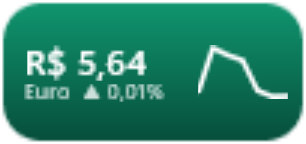
The Windows widgets panel has a finance widget, but it opens over your windows and disappears. To see rates always visible, put Doca's Exchange rates widget on the dock: up to four pairs, with the day's change and a 7 or 30-day curve. One thing to know first: most pairs are against the Brazilian real; against the US dollar, there are euro and bitcoin.
What Windows already has
The widgets panel (Win + W) has a finance widget. It works, but it lives in a panel that opens over everything and closes when you click away: you can't glance at it while you work.
Doca's Exchange rates widget
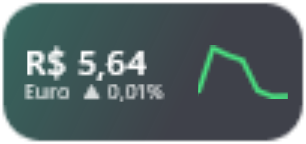
- Always visible on the dock, in the Glass or Vivid colors style.
- Up to four pairs, in your order: US dollar, euro, pound, Argentine peso, yen, Canadian dollar, Swiss franc, yuan, bitcoin and ether against the Brazilian real, plus EUR/USD and BTC/USD.
- The day's change and a 7 or 30-day curve right on the tile.
- One click opens a window with the big number, the period, the chart and arrows to switch currency.
- Rates come from AwesomeAPI, a Brazilian exchange-rate service, with no account or key.
It's a reference to follow the market, not your bank's or broker's rate, which has its own fees and spread.
Where Doca is less useful here
Doca is made in Brazil, and this widget shows it: if you need, say, USD/GBP or USD/MXN, it doesn't have those pairs today. A widget of your own (any script that prints JSON) can fill the gap.
Frequently asked questions
Are the rates real time?
It shows AwesomeAPI's latest quote, with the day's change. Before a transaction, check your bank's or broker's rate, which has its own fees.
Can I see the dollar against currencies other than the real?
Pairs are against the Brazilian real, plus euro and bitcoin against the US dollar. There are no USD/GBP or USD/MXN pairs today.
Does it need the internet?
Yes, to fetch the rates.
How much is it?
7 days free with everything unlocked. After that, US$ 9 once, no subscription.